Blue Team Labs Online - Insider Threat

Management inquired about the permissions granted to employee account "jciedo," and it was discovered that they had access to the department's file server.
Digital Forensics
Tags: Evtxtract Volatility2 MiTec Windows Registry Recovery Notepad++ T1098
Scenario Jess Ciedo, a member of the accounting department, was terminated by their manager. Management inquired about the permissions granted to employee account "jciedo," and it was discovered that they had access to the department's file server, which contains sensitive files. Additionally, checking the account's login activity indicates that the last successful logon was from workstation 10.10.20.8's IP address.
Now, you are given with these artifacts; • Memory Image of 10.10.20.8 (last logged in host) • File Server Security Logs • JCIEDO_USRCLASS.DAT registry hive found on 10.10.20.8 host
Perform an in depth investigation to understand and the activity conducted, and answer the associated questions for the Human Resources and Legal teams.
- Windows Registry Recovery and Volatility standalone executable can be found in /Desktop/Investigation (for Vol2 use the Win7SP1x86 profile) - EVTXtract can be called using C:\Python27\Scripts\evtxtract.exe
If you receive a UAC prompt when trying to run programs or CMD as Admin, click 'More Choices' and select the BTLO user account to proceed.
Environment Awareness
Evidence & Tool Discovery
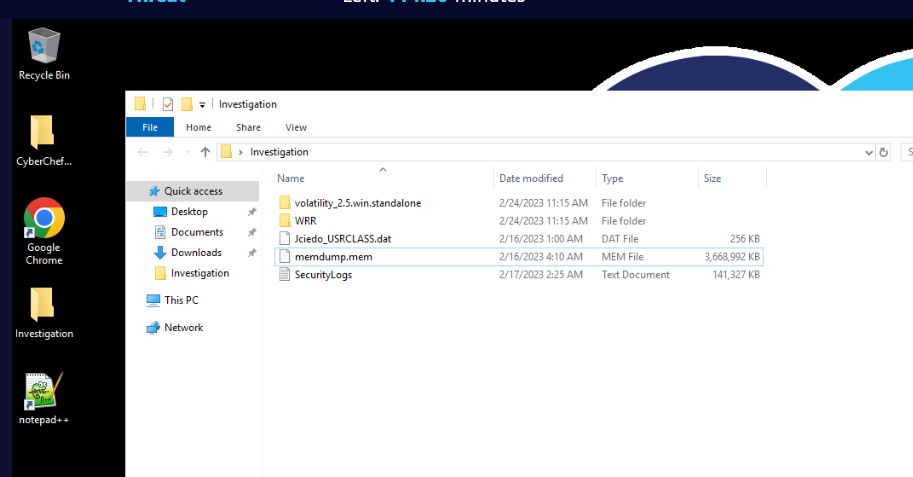
There is an Investigation folder located on the Desktop which contains evidence files and tools for this investigation so lets get to know each one of them
Evidence
- Jciedo_USRCLASS.dat
- memdump.mem
- SecurityLogs.txt
Tools
- CyberChef : There is no need to explain how awesome the CyberChef is right?
- notepad++ : Text editor.
- volatility 2.5 standalone : Awesome memory analysis framework which various of plugins.
- Windows Registry Recovery (WRR) : Tool for registry hives analysis which we can import registry hive and read it without bothering with Microsoft built-in registry editor.
Investigation
Q1) What time did the user jciedo log into their corporate workstation? (Format: YYYY-MM-DDTHH:MM:SS.XXX)
Let's utilize Security event log, Open log file with notepad++ and try to search for "jciedo" user, and since there are so many events then we need to confirm the suspicious activity first before determining the login and time of this user.
Why? because there are so many login event, by using this method then we can reduce our scope of finding to the relevant timeframe
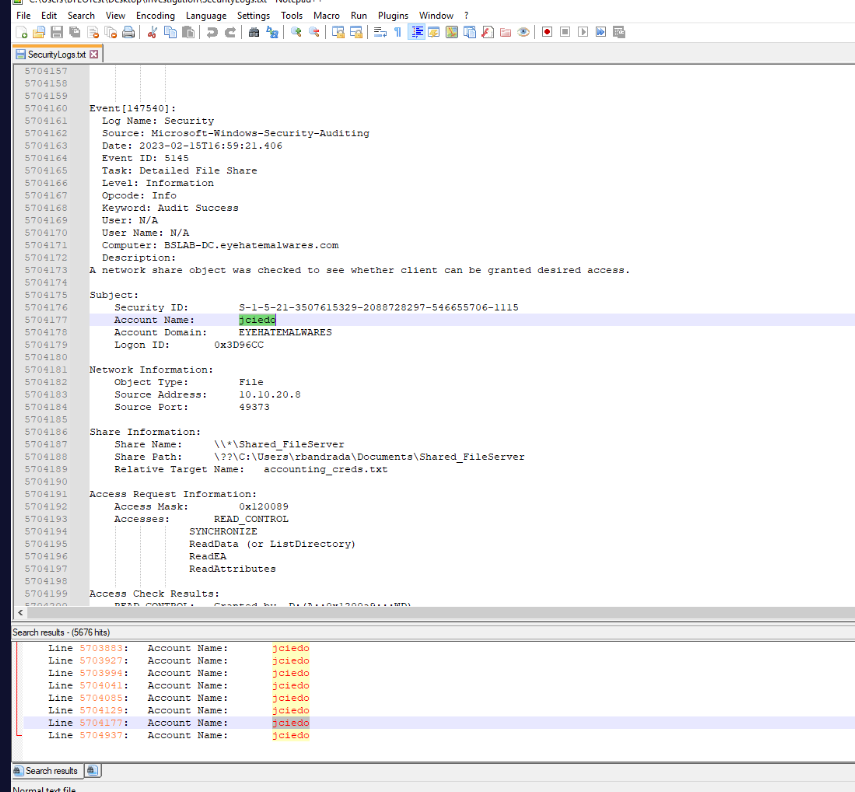
Which we can see that user gained access to sensitive files around 2023-02-15T16:59:21, now we just need to find Event ID 4624 (An account was successfully logged on.)
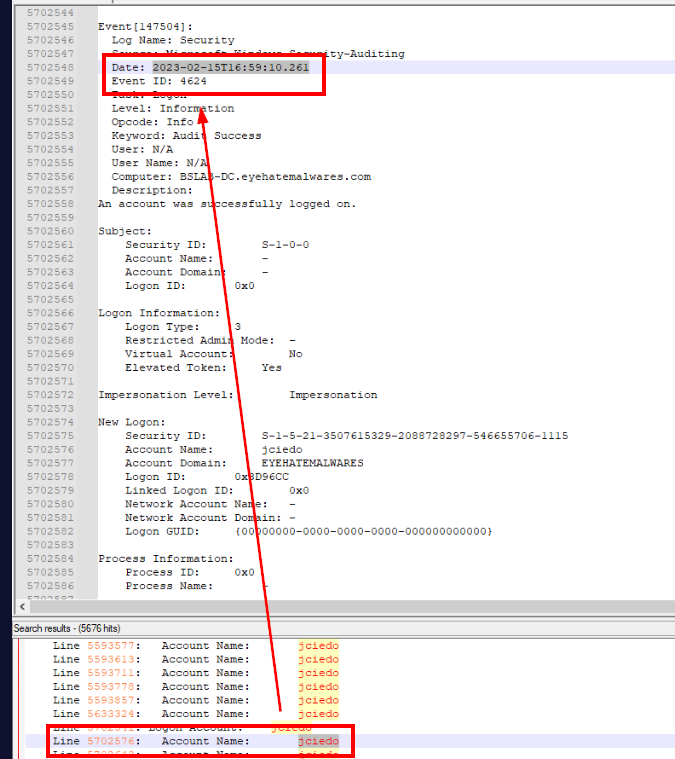
Then we will have the event 147504 is the last login the before the access to the sensitive files via file share.
Answer
2023-02-15T16:59:10.261Q2) What is the IP address and file server name that was accessed by the jciedo account? (Format: X.X.X.X, FileServerName)
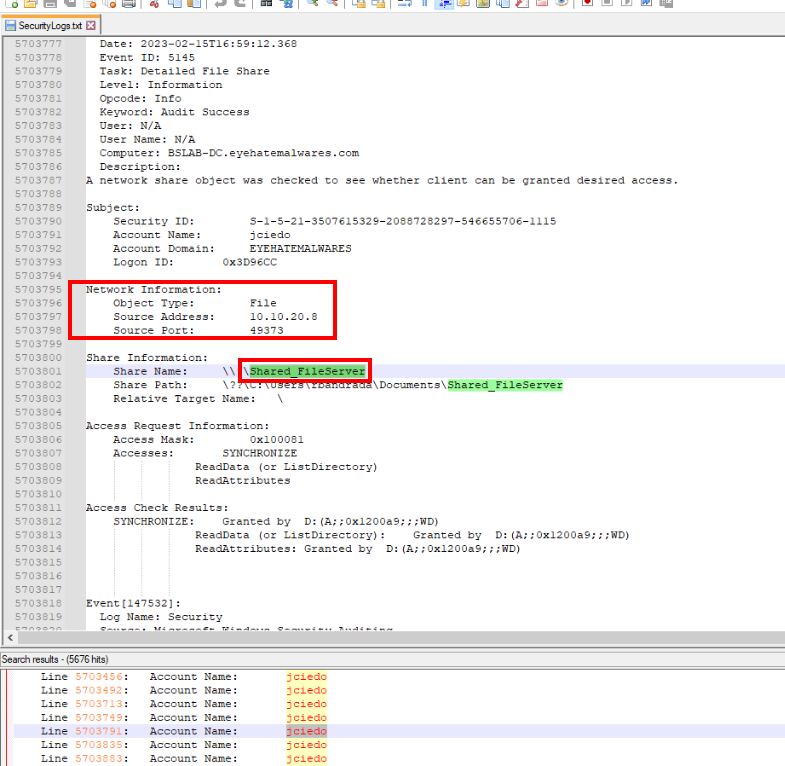
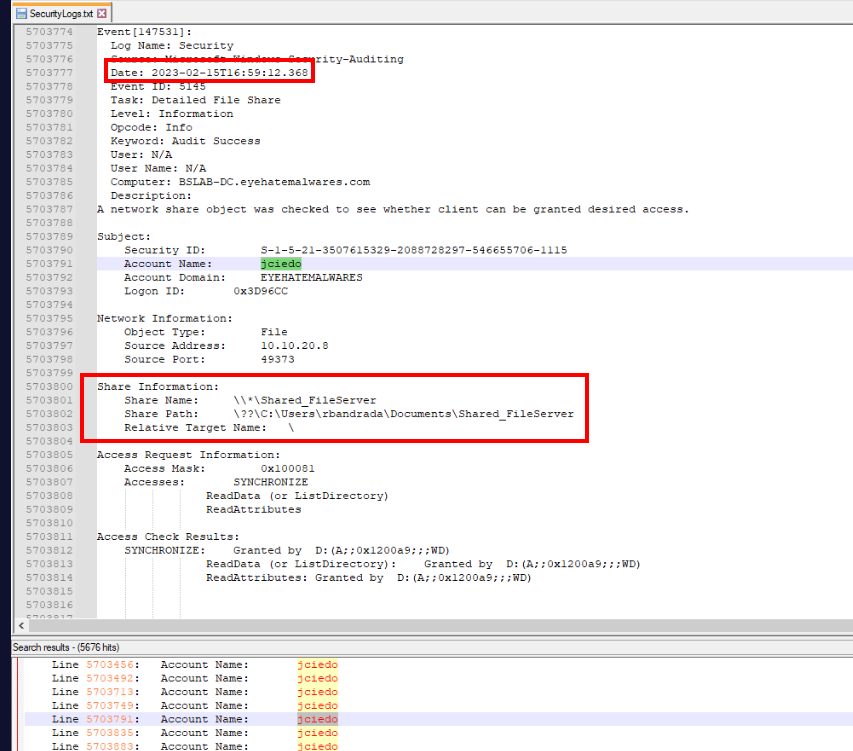
After successfully logged in, "jciedo" user tried to access \\\Shared_FileServer share and the Event ID 5145 (A network share object was checked to see whether client can be granted desired access.) also logged the IP address of "jciedo" user as Source Address as well.
Answer
10.10.20.8, Shared_FileServerQ3) What is the timestamp of jciedo accessing the file server? (Format: YYYY-MM-DDTHH:MM:SS.XXX)
Answer
2023-02-15T16:59:12.368Q4) What is the name of the sensitive file that was accessed by the account? (Format: filename.extension)
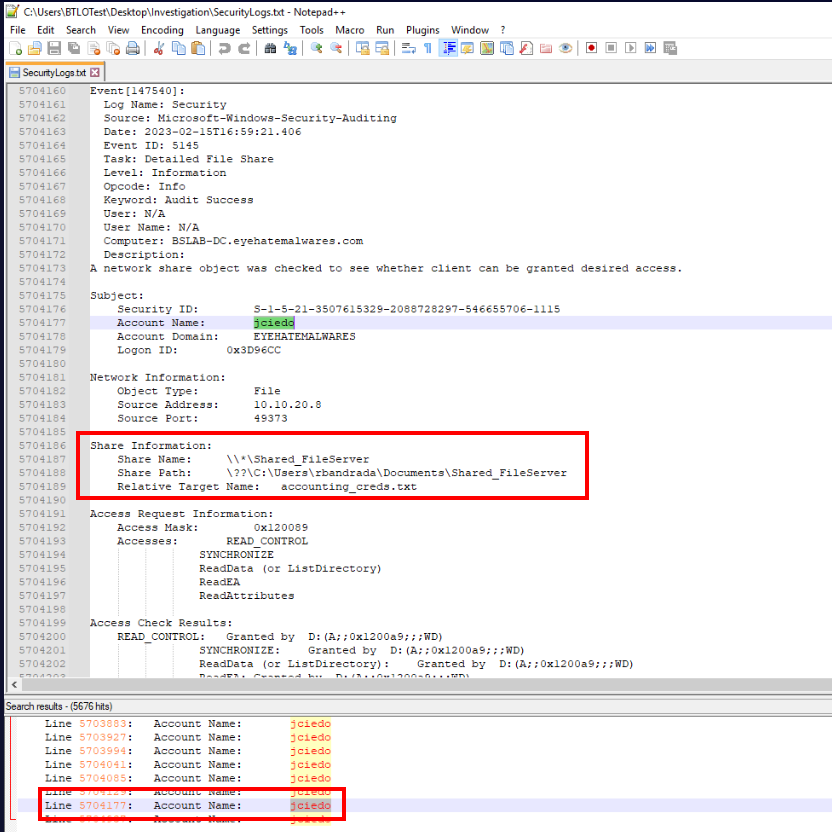
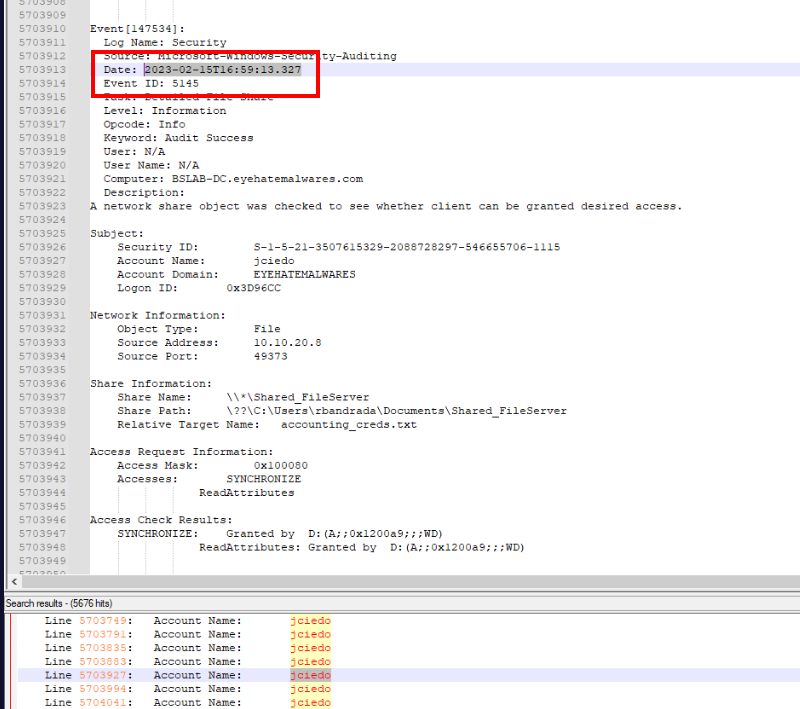
As we already discovered from the first question that the sensitive file that was accessed is accounting_creds.txt at 2023-02-15T16:59:13.327
Answer
accounting_creds.txtQ5) What is the timestamp of jciedo accessing this file? (Format: YYYY-MM-DDTHH:MM:SS.XXX)
Answer
2023-02-15T16:59:13.327Q6) What software was used to compress the retrieved file from the file server? Provide the full path of the executable (Format: Drive:\path\to\software.exe)

There are 2 candidates when it comes to compression software on Windows which are WinRAR and 7-Zip and with since we have memory dump from the suspect workstation then we can use volatility-2.5.standalone.exe -f memdump.exe --profile=Win7SP1x86 filescan > file.txt to list all the files that were cache in the memory into a text file.
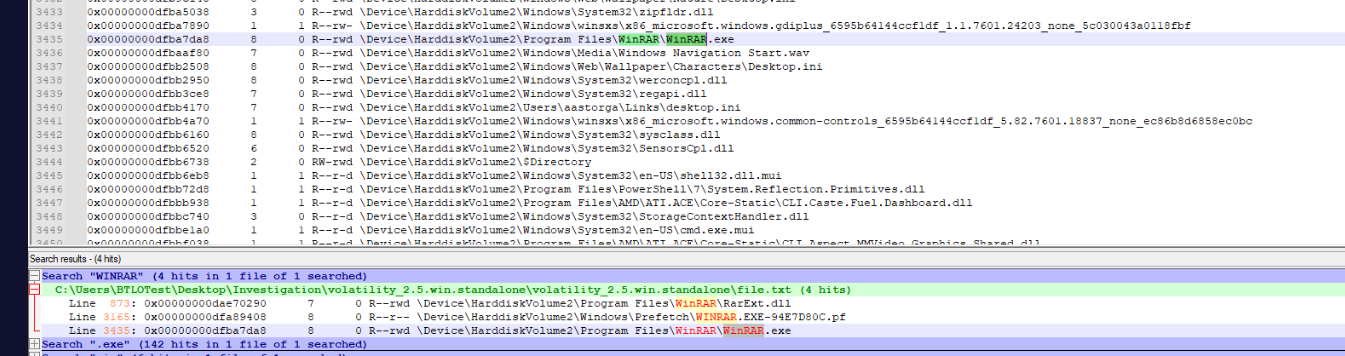
Then by simply search for "7-zip" or "WinRAR", we can see that WinRAR is the only one that has prefetch file indicating that it was used on this system.
Answer
C:\Program Files\WinRAR\WinRAR.exeQ7) What is the full path of the outputted compressed file? (Format: Drive:\filename.extension)
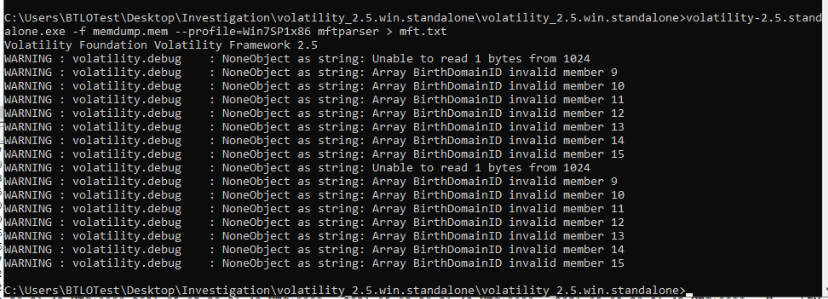
Lets use volatility-2.5.standalone.exe -f memdump.exe --profile=Win7SP1x86 mftparser > mft.txt for this time since the file might not exist on the workstation anymore.
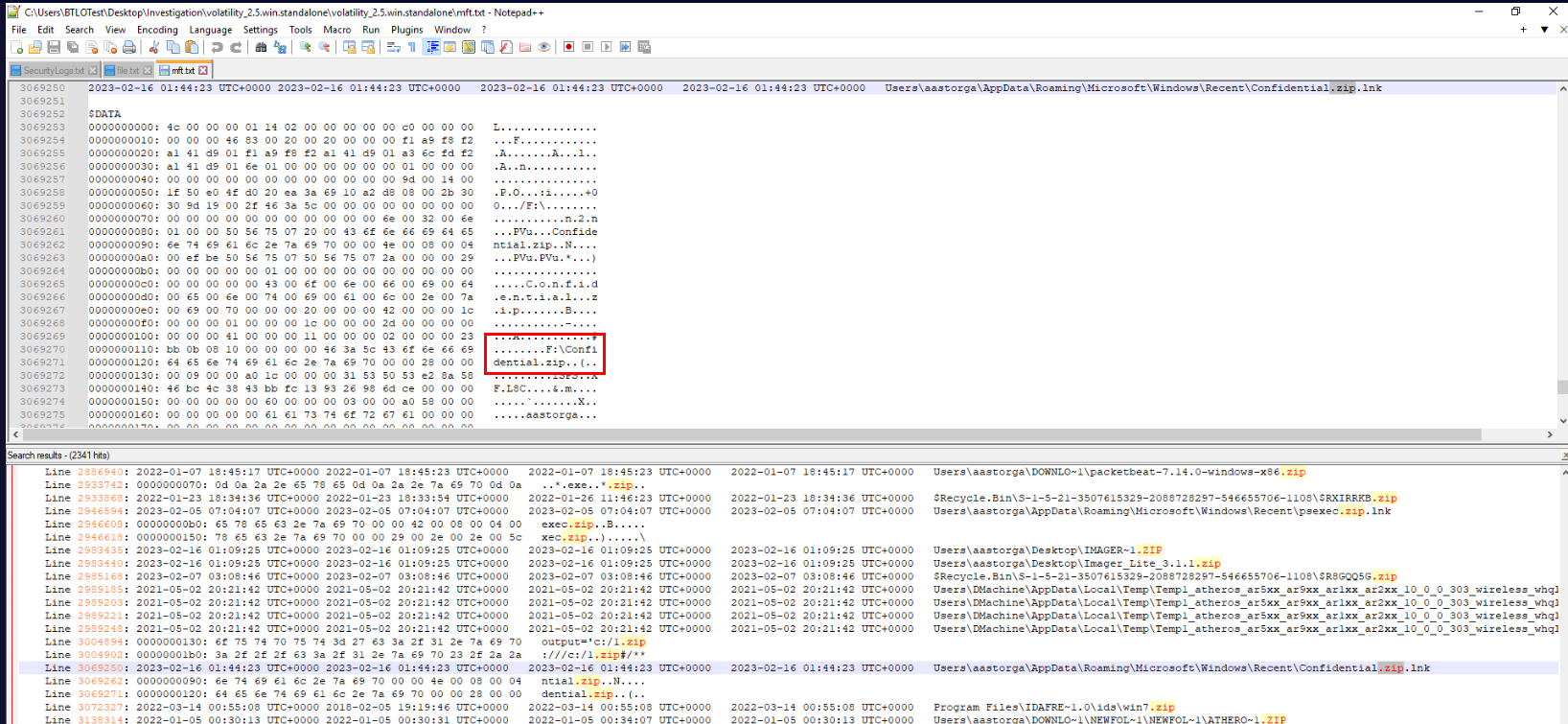
After tried to search for ".zip" then we will discover .lnk file of Confidential.zip from Recent folder, indicates that this file was opened by user at some point and also luckily for us that Master File Table keep the path of this file as displayed right here.
As we can see that this file was opened from F drive and it could mean that the file was exfiltrated via External Storage such as USB Flash drive.
Answer
F:\Confidential.zipQ8) What is the Mfg and DeviceDesc of the device mounted to the local machine? (Format: MfgValue DeviceDescValue)
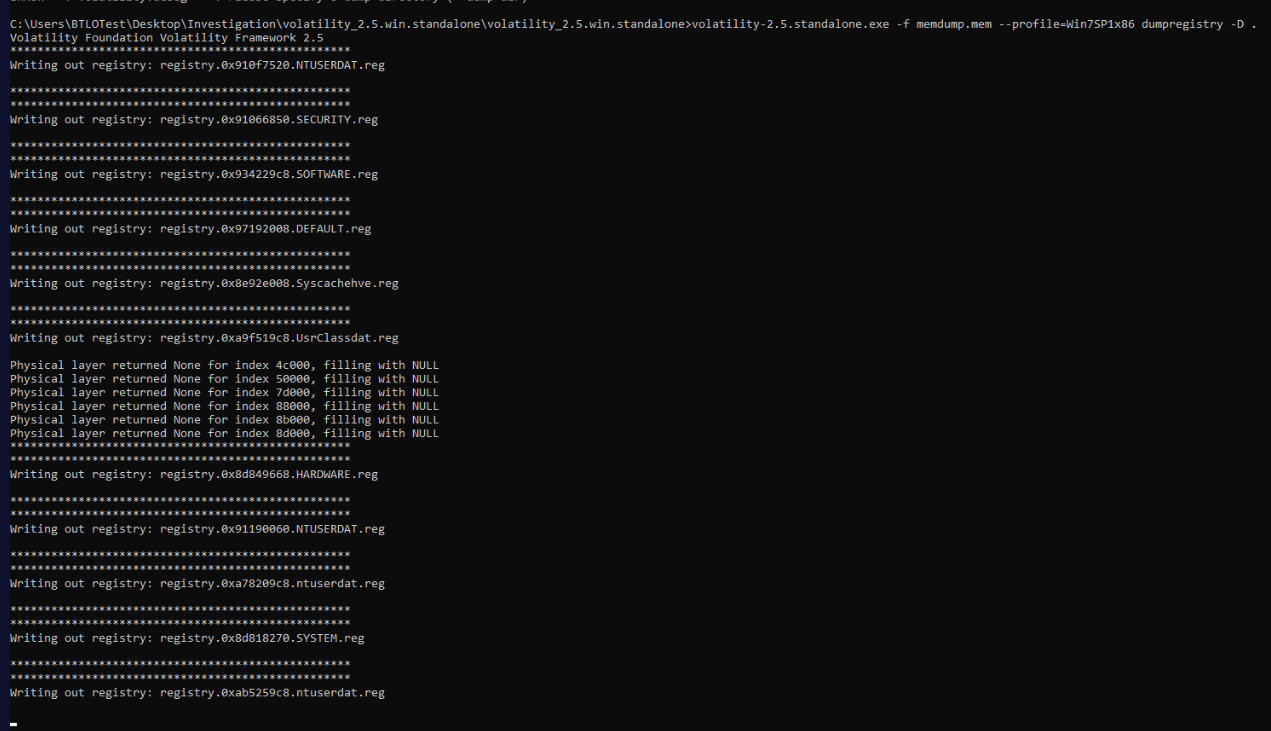
Follow our hypothesis about USB Flash Drive, we need to dump SYSTEM registry hive for USBSTOR registry key and we can do that with volatility-2.5.standalone.exe -f memdump.exe --profile=Win7SP1x86 dumpregistry -D . which will dump all detected registry from the memory dump to current location.
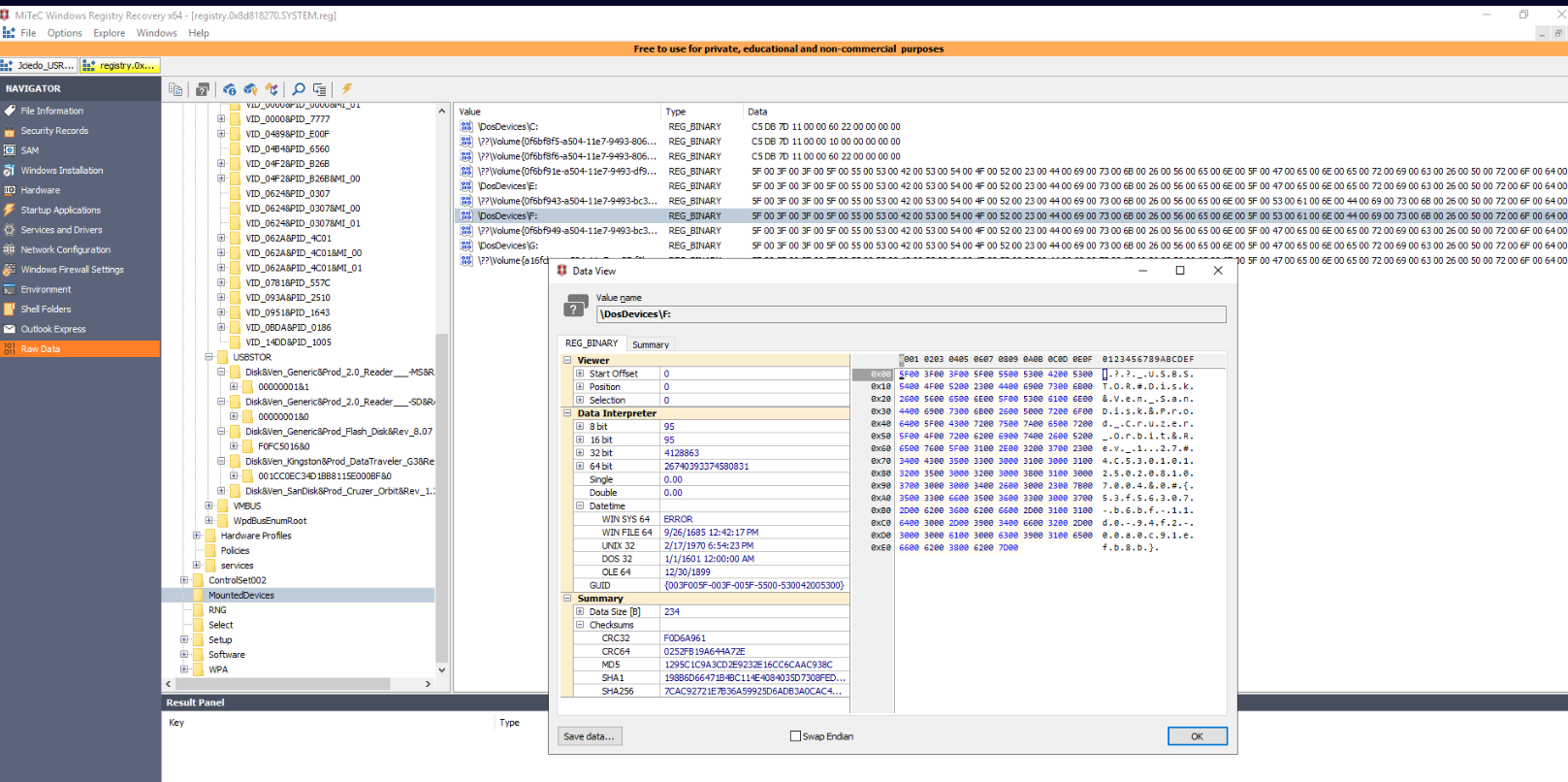
Now using WRR to open SYSTEM registry hive and to confirm that F drive was mounted with USB flash drive, we can inspect MountedDevices key which confirmed our hypothesis that the file was exfiltrated via USB flash drive as shown in Hex dump of the Data View window.
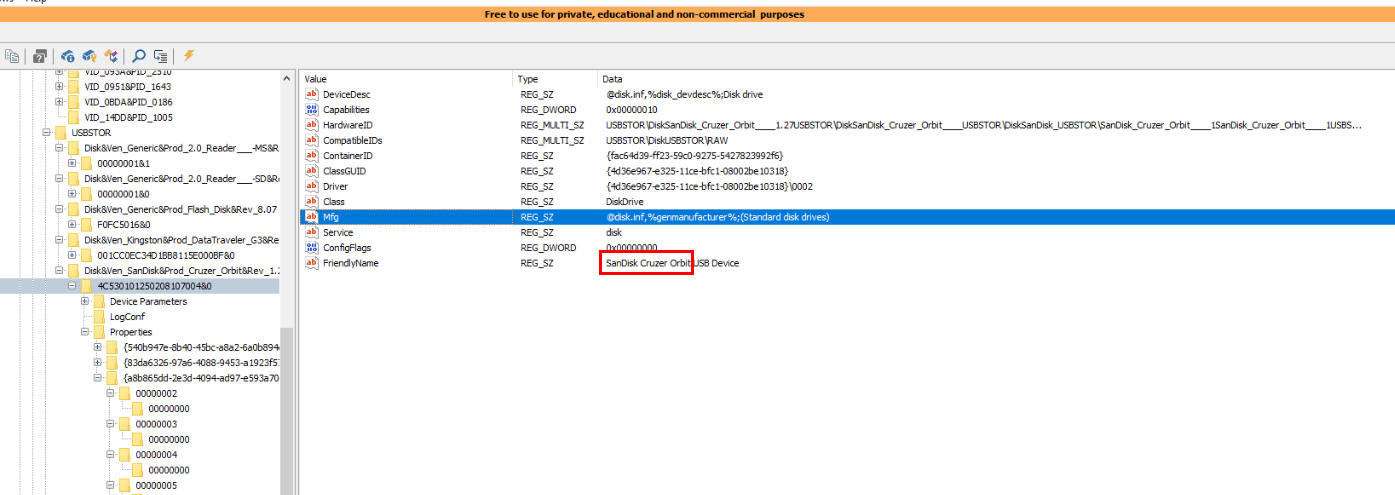
The answer format for this question is quite confusing but the answer of this question is friendlyname of this USB which is "SanDisk Cruzer Orbit"
Answer
SanDisk Cruzer OrbitQ9) What is the timestamp associated with the logoff event for the user account jciedo? (Format: YYYY-MM-DDTHH:MM:SS.XXX)
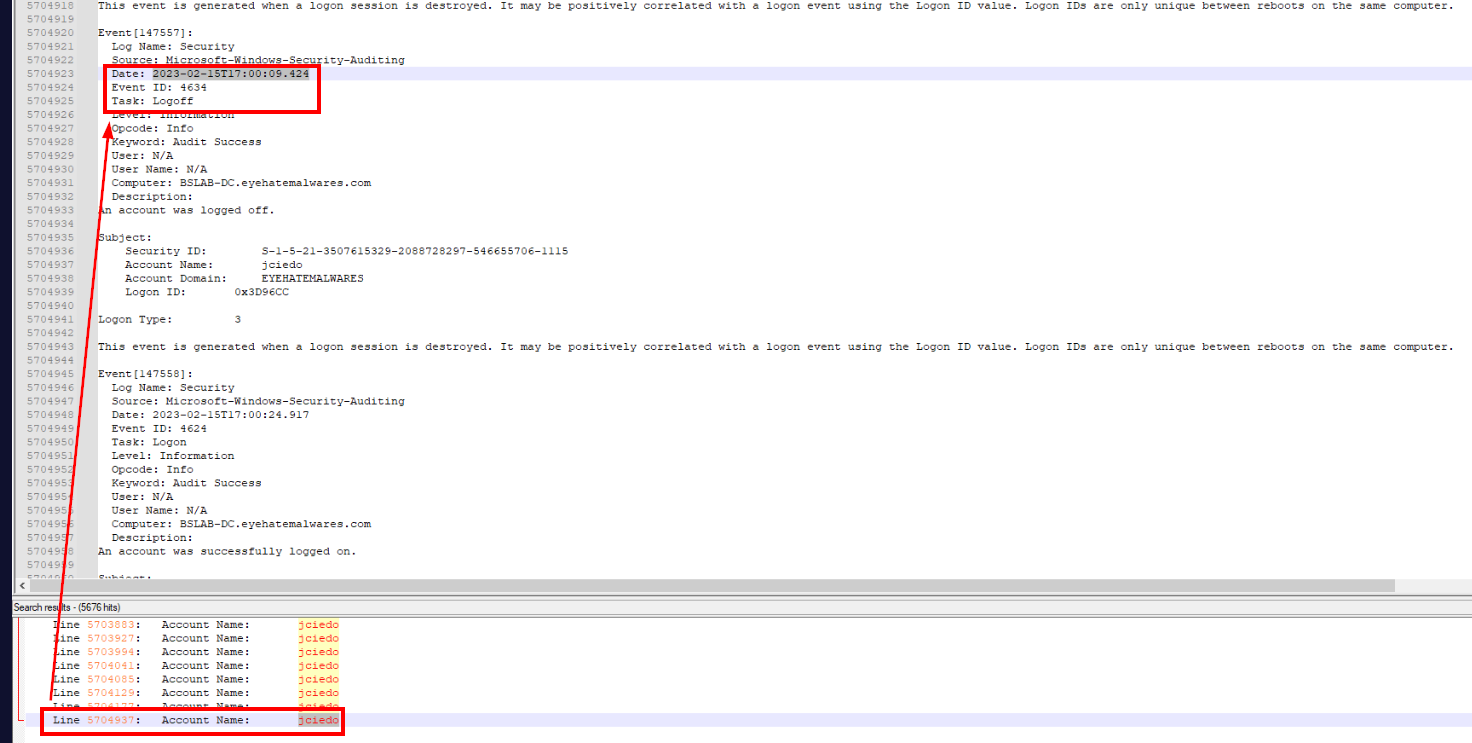
After exfiltrated file via USB flash drive, user finally logged off from the workstation at 2023-02-15T17:00:09.424 and the total time of these actions were conducted within 1 minute.
Answer
2023-02-15T17:00:09.424https://blueteamlabs.online/achievement/share/52929/136
Summary
User account "jciedo" was logged in from 10.10.20.8 workstation then accessed accounting_creds.txt from SMB Share, Compress file to Confidential.zip then exfiltrated it via USB flash drive. the estimated operation time is around 1 minute